



|
Name |
Redfinger |
|---|---|
|
Google Play Link |
GET IT ON
Google Play
|
|
Category |
Tools |
|
Developer |
Redfinger |
| Last version | 1.9.14.58 |
|
Updated |
|
|
Compatible with |
Android 7.0+ |
Introduction to Redfinger
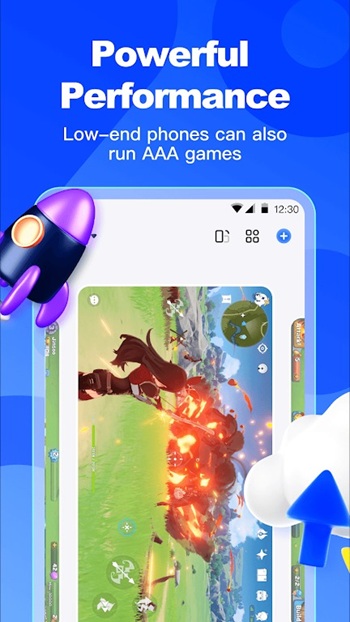
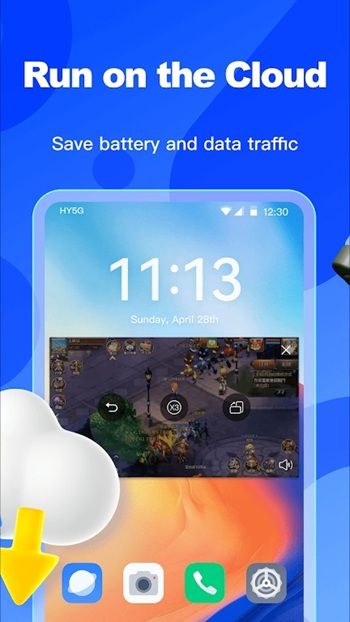
Redfinger isn’t your average app you toss on your phone and forget. It’s a fully virtual Android phone that lives in the cloud—yep, a whole second phone chilling on remote servers, ready whenever you are. Instead of using up your device's battery, data, or storage, Redfinger handles all the heavy lifting through its cloud system. Whether you're grinding AFK in mobile games, juggling multiple accounts, or just don’t want your actual phone doing all the work, this setup is built for smooth, uninterrupted use.
Think of Redfinger as a virtual playground for multitaskers and mobile gamers. You can run apps 24/7, switch between devices like a pro, and keep things running in the background without draining your real phone. And the best part? It doesn't matter if you're using Android, iPhone, Mac, or Windows—Redfinger gets along with everybody. That flexibility means you can log in from a browser or the app itself and jump straight back into whatever you left running on your virtual device.
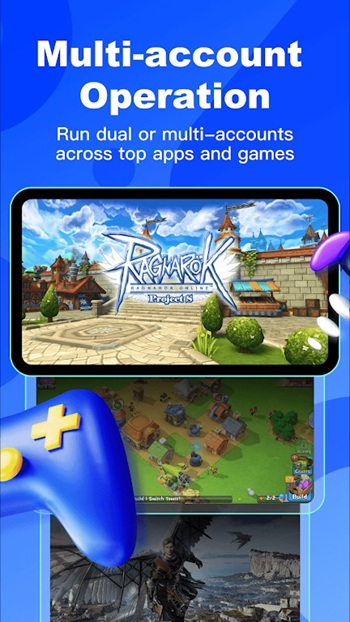
For folks who live and breathe games like Genshin Impact, Ragnarok, or Wuthering Waves, Redfinger makes a lot of sense. Those games need constant attention or time-sensitive grinding, but you probably have, you know, a life. Redfinger steps in as your always-on assistant—your clone that's still fighting bosses while you're out doing literally anything else. It’s like having a sidekick that never sleeps and doesn’t need a charger.
It’s not just about play either—creators, marketers, and business users are out here using Redfinger too. Because it’s a full Android environment, it works great for managing social media tools, testing apps, or even controlling multiple virtual phones from one account. That’s super clutch if you're someone who manages campaigns, bots, or client-facing platforms. It saves time and headaches by keeping things separate, secure, and running non-stop.
Security-wise, Redfinger knows what's up. Your real phone isn’t exposed to anything happening on the cloud one. So you’re protected from shady software or accidents that would normally wreck your storage or data. And since it’s all online, everything stays backed up and safe even if your main device crashes, breaks, or disappears under a couch forever.
Another cool flex? Redfinger gives you tools like scheduled reboots, batch installs, and even root access—if you're into that kind of advanced stuff. Basically, it's like being a power user with a secret weapon in your pocket (or technically, in the cloud). Whether you're managing ten apps at once or testing features in different environments, this app levels up how you use mobile tech.
Oh, and they let you try it out for free. So you can see for yourself if it fits your workflow or gaming lifestyle. Once you’re in, the premium stuff opens up way more options, from better performance to full control over the virtual environment.
FAQs Redfinger
What is Redfinger used for?
+
Redfinger is a virtual Android emulator hosted on cloud servers. It’s used for running apps, playing mobile games AFK, managing multiple devices, and more—without using your real phone.
Does Redfinger work on iOS or Mac?
+
Yep! Redfinger works across Android, iOS, Windows, and macOS. You can access your cloud phone through a browser or app, making it super flexible no matter your setup.
Is Redfinger safe to use?
+
Absolutely. Since it runs in the cloud, your real phone stays safe from any malware or data risks. Your apps and data stay protected and separate from your personal device.
Can I play mobile games with Redfinger 24/7?
+
Yes. Redfinger is designed to keep your games running even when you’re offline or away from your phone. Perfect for grind-heavy or idle games like Genshin or Ragnarok.
How do I try Redfinger before paying?
+
Redfinger offers a free trial, so you can test out the features and see how it fits your needs before committing to a paid plan.
Discover More Interesting Apps
-
 Mod
Mod
3C Task Manager
v4.0.0
17268284
Updated -
Surfshark VPN
v3.33.1
148.00 Mb
Updated -
Gogone Whats Tools
v2.2
28.71 Mb
Updated -
Graphics Driver Mode
v1.1.5
16.81 Mb
Updated -
Mod
Prisma 3D
v3.3.4
110.01 Mb
Updated -
Mod
Turbo VPN
v4.3.1.2
87.00 Mb
Updated -
Mod
Panda Gamepad Pro
v12.5
13.00 Mb
Updated -
Mod
PDownloader
v1.0.33
107.43 Mb
Updated -
Pixel Player
v1.6.0
111.12 Mb
Updated -
Ace Stream
v3.2.20.0
191.32 Mb
Updated










Share Your Thoughts